Your products are great. Your prices are competitive. Your product descriptions are detailed and persuasive. But when you share a new product on X, Facebook, or Pinterest, nobody clicks.
The problem isn't your product—it's the preview.
When you share a product link on social media, you're not just sharing a URL. You're making a proposal: "leave what you're doing, navigate somewhere new, and consider buying something." That's a significant ask. Social feeds are designed to keep people on-platform, and every link you share is fighting against that design.
The products that get clicked? They have one thing in common: a compelling image that makes stopping and clicking feel worth the effort.
The Social Shopping Reality
Let's be honest about how people browse social media. Users scroll through feeds at a pace designed to consume as much content as possible with minimal friction. Most posts get a fraction of a second of attention before the decision to scroll or stop is made.
In this environment, your product link is at a disadvantage. It requires:
- Noticing the preview among dozens of other items
- Reading the headline or title
- Processing that this is a product worth considering
- Making a decision to click
Step 1 happens visually, before any text is read. Your OG image is doing the heavy lifting. If it fails at that job, nothing else matters—your excellent product description, your competitive pricing, your detailed specs—all of it becomes irrelevant because nobody clicked to see it.
Open Graph images are your first impression. Before a potential customer reads your title or description, they've already seen your image. That image decides whether they stop or scroll. It's that binary.
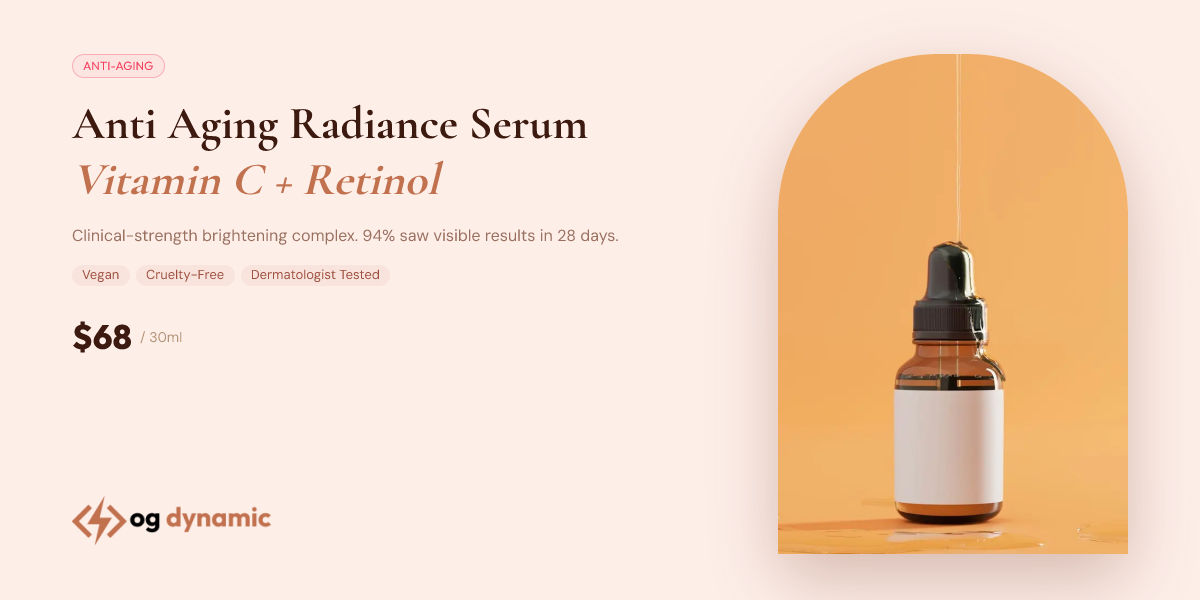
A Shopify product preview works best when it feels like a small campaign asset, not a random product thumbnail. The product, offer, and brand styling should be understandable before someone opens the page.
The Anatomy of a High-Converting Product OG Image
Not all product OG images are created equal. The ones that drive clicks share several characteristics:
Visual Hierarchy
The most effective element in your OG image should be immediately apparent. Usually, this is the product name or a compelling benefit headline. The eye should be guided to this element first, before anything else.
Secondary information—price, tagline, call-to-action—should support but not compete with the primary message. Conflicting visual elements create confusion, and confusion leads to scrolling.
Product Context
Showing the product in context helps potential customers understand scale, use case, and appeal. A floating product shot against a white background is clean but can feel abstract. Lifestyle context, even simple context like shadows suggesting a physical space, helps bridge the gap between "nice image" and "something I want."
However, context shouldn't come at the cost of clarity. The product itself should remain the visual focus.
Brand Consistency
Every product you share should feel like it belongs to the same brand family. Consistent fonts, colors, and styling builds brand recognition over time. A follower who sees your product OG images regularly starts to recognize your visual brand instantly—and that recognition translates to trust.
Inconsistent styling makes your store look amateur. Different fonts across posts, varying color schemes, inconsistent layout approaches—all of these signal that nobody is paying attention to the details. If you won't pay attention to your own social previews, why should a potential customer believe you'll pay attention to their order?
Mobile Optimization
Most social browsing happens on phones. An image that looks perfectly fine on a desktop monitor might be nearly illegible on a mobile screen. Your OG images need to be designed mobile-first.
This means:
- Bold headlines that remain readable at thumbnail size
- High contrast color combinations (dark on light, or vice versa)
- Simplified compositions that communicate clearly even when small
- Testing on actual mobile devices, not just desktop preview tools
What ogdynamic Provides for Shopify Stores
We built ogdynamic specifically for product-focused businesses like yours. Here's what's included:
Template Library for E-commerce
Our template library includes designs specifically created for product launches, flash sales, new arrivals, and featured items. These templates aren't generic designs adapted for products—they're product-focused layouts built around what makes product previews effective.
Each template considers the unique requirements of product-focused social previews: product image sizing, headline positioning, price presentation, and brand consistency.
Brand Presets
Save your logo, your color palette, your primary and secondary fonts—all of your brand elements—once. Every image you create automatically applies your brand identity. No more manually selecting colors or uploading your logo for every single product.
This serves dual purposes: it saves time (which matters when you're launching products frequently) and it ensures consistency (every image uses exactly the same brand elements).
Platform-Specific Generation
Facebook, X, LinkedIn, and Pinterest each render OG images differently. Different aspect ratios, different display sizes, different compression behaviors. ogdynamic generates multiple formats simultaneously, so you can upload the right format for each platform without guessing or manual adjustment.
This is especially valuable for stores running multi-platform social campaigns. Instead of creating images in multiple tools or formats, you generate everything from one interface.
URL Auto-Fill
Paste a product page URL, and ogdynamic can extract the key details—product name, description, price, featured image—and pre-fill them into your template. Less manual data entry means faster image creation, which means your products get shared sooner after launch.
How to Use OG Images Effectively for Your Store
Having great OG images is the foundation. Using them effectively is the next step:
Share Consistently
One great OG image for one product isn't a strategy. Consistent sharing—every product launch, every sale, every new arrival—builds recognition over time. Your followers start to know what to expect from your visual content, which makes them more likely to engage.
Match Images to Platform
Different platforms suit different types of products and campaigns. Instagram is highly visual and suits lifestyle-focused products. Pinterest is discovery-focused and works well for products with strong visual appeal. X is fast-paced and suits timely announcements. LinkedIn is professional and suits higher-consideration products.
Create platform-appropriate images and sharing strategies.
Track and Iterate
Pay attention to which OG images drive the most engagement. A/B test different templates, headlines, and styles. Over time, you'll develop an understanding of what works for YOUR audience and products.
The Compounding Value of Good OG Images
Here's what many store owners miss: the value of good OG images compounds over time.
Each product you share with a professional OG image builds your brand recognition in social feeds. Each successful click drives potential customers to your store. Each visitor is a chance to convert—and an opportunity to introduce your brand to someone who might not have found you otherwise.
Bad OG images don't just fail for the individual product—they actively work against this compounding effect. A forgettable or ugly preview makes your brand feel amateur. It signals that you don't pay attention to details. And it makes future clicks less likely because you've established a pattern of uncompelling previews.
Investing in great OG images isn't just about individual campaign performance. It's about building an asset—a recognizable, professional brand presence in social feeds that makes every future campaign more effective.
Don't Let Great Products Get Lost in Feeds
Your products deserve to be seen. They're well-designed, competitively priced, and thoughtfully described. None of that matters if your social previews don't stop the scroll.
Creating professional OG images for your Shopify store doesn't require a designer. It doesn't require expensive software. It doesn't even require significant time—ogdynamic generates images in seconds.
Create your first product OG image and start driving more clicks from every social post. Your products have been waiting in feeds, invisible. It's time to change that.
If you want to wire product data directly into templates, read the documentation for tags[], specs[][label], and POST JSON payload examples. You may also want the broader walkthrough in How to Create Stunning Open Graph Images Without a Designer.